
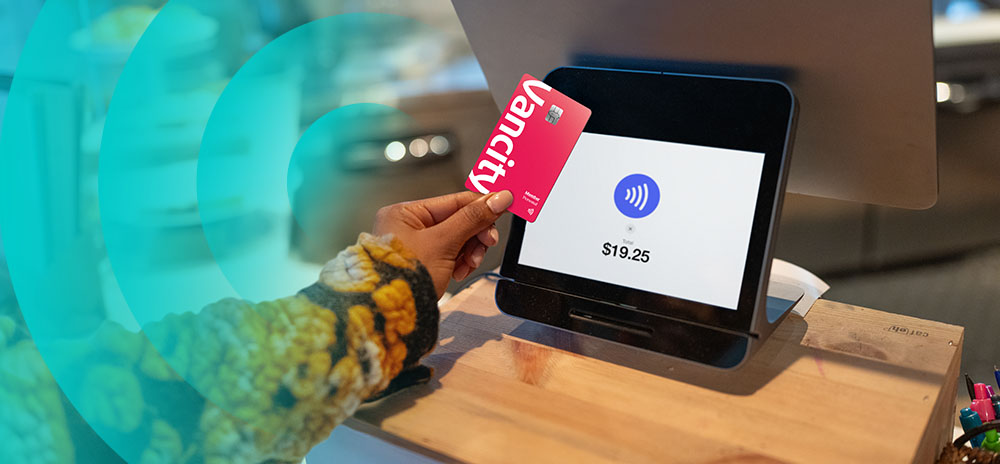
Most banks design digital tools around their systems. Not around your life.
Banking apps move money, sure, but shouldn’t they support real people, living real lives outside of the apps? Too often, they’re built to serve systems first, and people second.
At Vancity, we think that’s backwards. That’s why we’ve reimagined Vancity’s digital experience.
This new digital banking experience offers better, more intuitive features across mobile and online banking. The remodel is based on members’ feedback, with you at the core of all changes.
“Thanks to you, we’re delivering an easier, more modern digital banking experience that will transform what it means to bank with Vancity,” says Wellington Holbrook, the CEO of Vancity Group. “This achievement is just one step of an incredible journey we’re undertaking to rebuild the Vancity we love.”
This digital banking upgrade is a smarter, more intuitive way to manage your money. It gives you smoother control over the banking you actually do, like paying bills, sending e-Transfers, checking balances, and keeping your accounts secure.
1. Your entire bank is now in your pocket. Do all of your money moves on your phone.
our phone isn’t just where you check your bank account. It’s where you run it.
The new mobile app brings all of your banking into one beautifully simple experience. The app mirrors online banking, giving you complete access and control. So whether you’re sitting on the bus or squeezing in a moment in the grocery line, you get the same powerful, streamlined experience. Pay your bills, send your e-Transfers, and manage your cards; everything you need is at your fingertips.
No more thinking, “I’ll deal with this later when I’m on my computer.” Now, anywhere is the perfect place to get things done.
2. Paying bills takes fewer steps (and you can personalize by nicknaming them).
Paying bills now takes fewer steps and far less patience. You can pay or schedule multiple bills at once, and editing is easy, turning what used to be a monthly scramble into something that just gets done. Managing rent, utilities, childcare, and everything in between takes minutes instead of mental energy.
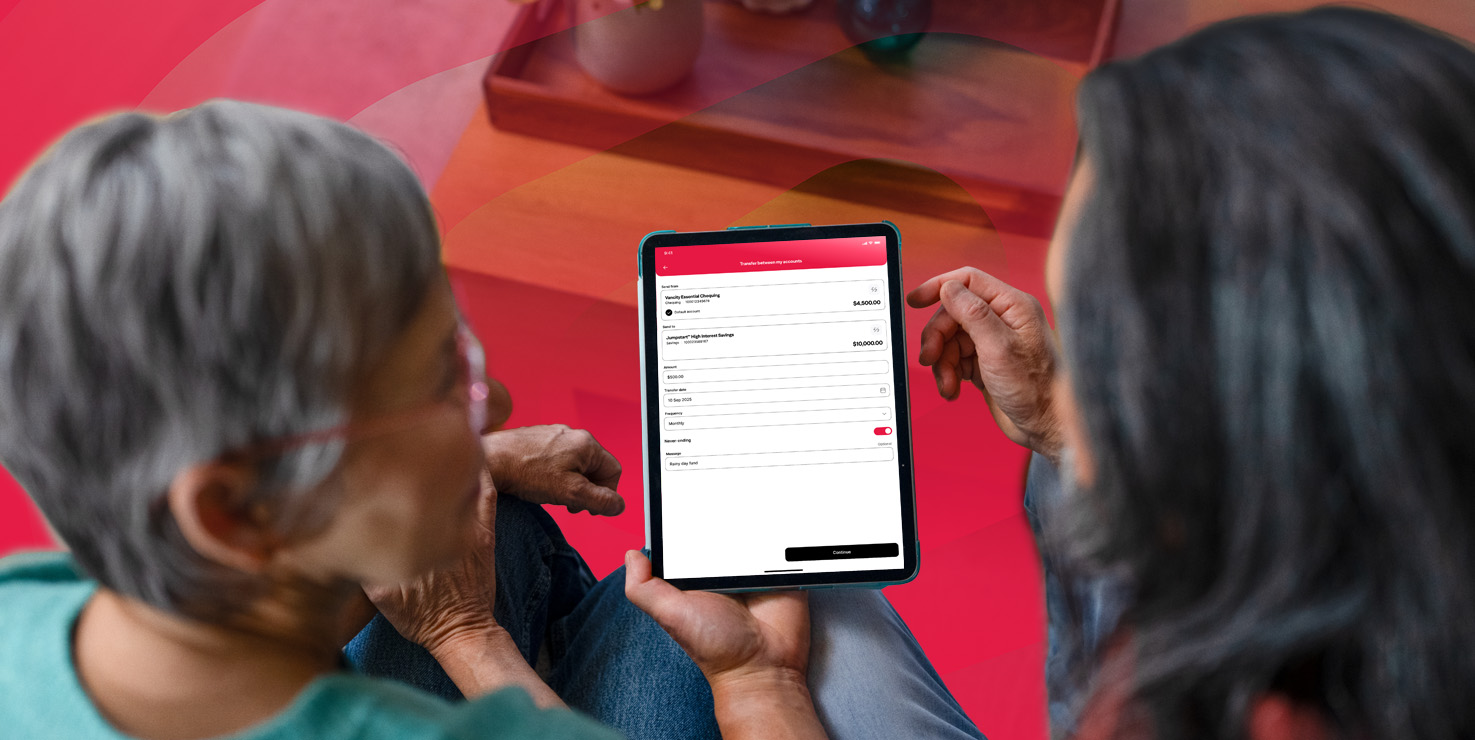
3. Scheduled e-Transfers mean one less thing to remember.
Ever meant to send money and then… didn’t? This one’s for you.
You can now schedule recurring Interac e-Transfers. This means your half of rent to your roommate, childcare payments, or splitting bills with family happen automatically.
Your future self (and, likely, your community) will thank you. Possibly out loud.
“I do a lot of e-transfers,” says a member who’s been a Vancity member since 2020. “Being able to schedule a transaction—I haven’t seen that before, and it makes things faster.”
4. A clearer way to see your money.
Your accounts are now organized by what they are, so you can find what you need instantly. This at-a-glance view of your financial picture makes it quick and easy to see where your accounts stand.
Log in to check your:
- chequing, savings and daily spending
- credit cards
- borrowing accounts
- investing accounts
- membership
You can also give your everyday banking and savings accounts their own titles. See you later, “Savings 003,” which tells you nothing about where you’re putting your money. And hello, “Europe Vacation Fund.” You can even nickname your Vancity enviro™ Visa* credit cards and we’re building this out for your borrowing and investing accounts soon, too.
5. Total control over your credit card, in one place.
Your Vancity enviro™ Visa* is now fully built into digital banking, so everything happens right where you already manage your money. This gives you instant, intuitive control whenever and wherever you need it.
You can activate your card, change your PIN, or pause and resume spending in just a few taps.
6. You get more visibility and control over security.
Real security isn’t just about blocking threats. It’s about knowing what’s happening with your money, in the moment.
With real-time alerts for things like password changes, new payees, and new Interac e-Transfer® contacts, you always have a clear view of activity across your accounts.
That means fewer surprises and faster action if something doesn’t look right. Your multi-factor authentication stays in place, now with a smoother verification process that automatically sends codes.
7. Logging in stays the same. No relearning required.
hange is rarely anyone’s favourite thing, especially when it involves your money. So, good news, we’ve kept the important stuff the same.
- Your Personal Access Number (PAN) stays the same.
- Your password stays the same
When you log in for the first time, just re-save your credentials and keep moving.
What’s improved is the experience around it. Multifactor Authentication is now sent automatically, so there’s no extra clicking, and fingerprint or face login works more reliably, making it faster and easier to get in.
8. A simple, smart way to send money to people you trust.
Sending money to other Vancity members is now faster, clearer, and built for how you actually move money.
You can:
- Save contacts in both online banking and the mobile app
- Share a 12-digit account number (FAN#) once, then reuse it
- Choose exactly which account money gets deposited into
9. Your banking works the same way, wherever you log in.
Whether you’re on your phone or your laptop, your digital banking works the same way. That means fewer “why can’t I do this here?” moments. You’ll spend less mental energy relearning how to do something depending on the device you’re using.
Your digital banking experience is designed around you.
This might be the most important upgrade of all.
The new digital banking experience is designed to feel intuitive the moment you log in. With thoughtful layouts, clean navigation, and a focus on what matters most, managing your money feels lighter and more focused.
“I had a list of transactions I wanted to try,” says a Vancity member. “Everything was easy to find—both on the app and the website.”
That ease comes down to thoughtful design choices that reduce overwhelm. One member points to the collapsible menus as a standout feature. “Everyday banking, credit cards, savings — it’s all right there, but not overwhelming,” she says. “You can open what you need and collapse the rest.”
It’s a digital banking experience that adapts to how you think and move through your day, one that works the way a busy brain needs: Showing you what matters when you need it and getting out of the way when you don’t.
This is just the beginning.
Vancity has always believed that banking should do more. You can see this belief in action with the Shared Success program, where 30% of our net profits go back into the community, adding up to more than $440 million invested since 1994.
But meaningful impact shouldn’t stop at the community level. It should also show up for you, in the everyday moments where banking actually happens.
What’s here today is shaped by members, and it’s built to keep growing with you as more ideas and features roll out. The direction is clear, and it’s only getting better from here.
If you ever need help navigating the new experience, Vancity team members are there to walk you through it, step by step.
New digital banking FAQ
Why is Vancity making changes to its digital banking platforms?
Because the old experience fell short, and our members deserved better. The new platform is easier to use, more intuitive, and built to support better features across mobile and online banking. It’s our first step toward a more modern digital experience, and there’s more to come, guided by member feedback.
What’s new on the Vancity digital banking platform?
A lot of practical upgrades, including:
- A cleaner, more intuitive layout.
- The same features across mobile, desktop, and tablet.
- Scheduled and recurring transfers, including Interac e-Transfers®.
- Credit card management in one place (activate, lock/unlock, change PIN).
- Real-time alerts and better visibility into account activity.
Getting set up in the new digital banking.
A few quick tips will help you get comfortable and make the most of the new experience:
- Chequing and savings accounts will now appear under “Everyday Banking.” Add nicknames to keep things organized.
- Re-add your existing intermember transfer contacts to make sending money quick and easy.
- Set up Autodeposit for Interac e-Transfers for quicker experience.
- Enable your password reset question. If this isn’t set up, you won’t be able to reset your password online, you’ll have to call or visit us.
What will I need to do when I log in for the first time?
When your account migrates:
- Download the new Vancity mobile app.
- Log in using your existing Personal Access Number (that’s your member card number) and password.
- Complete your usual multi-factor authentication (MFA).
- Re-enable biometric sign-in (Face ID or fingerprint) if you use it.
How do I learn more about the new digital banking platform, or get help?
You can access support resources, including step-by-step guides and FAQs, here. If you’ve got questions or need technical help, our Member Services Centre is always there to walk you through it. Toll-free: +1-888-826-2489 or Local: +1-604-877-7000.
What other changes can I expect?
The new platform is built for ongoing improvements, with updates driven by member feedback. Expect the experience to keep getting better, more intuitive, and more useful over time. This is just the beginning!
* Trademark of Visa Int. Used under license.
